Ivy Generator for Blender — Geometry Nodes & Growth Controls
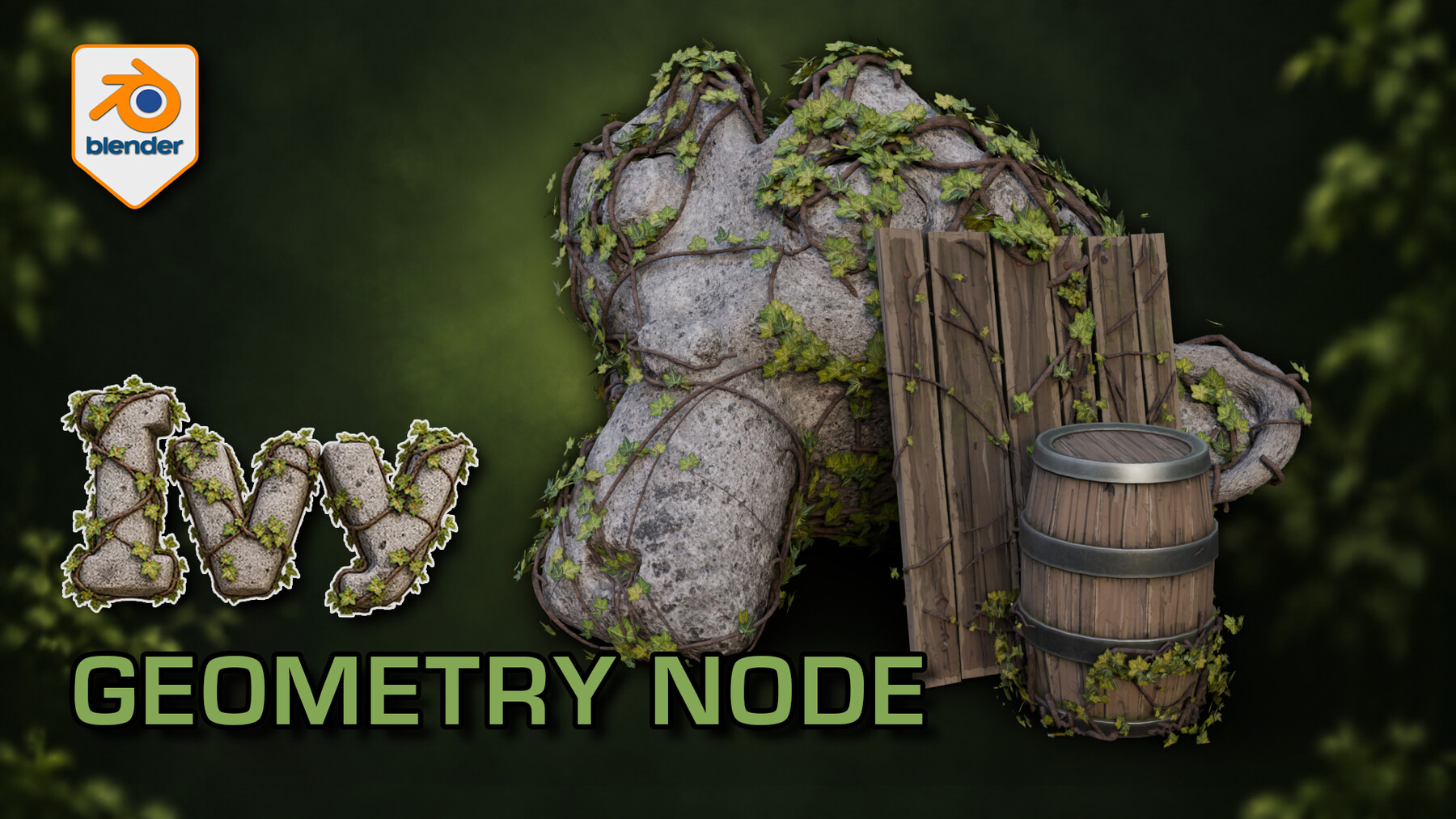


Bring an overgrown layer to a prop without committing to a fixed foliage arrangement. 3D Tudor Ivy Generator for Blender offers collection-based placement, separate centre and outer leaf coverage, and controls for the stems and leaf appearance.
From a broad gesture to a close-up detail
Choose the surfaces and move the start point. Work on spread and orientation until the ivy supports the prop's silhouette, then refine leaf density, size and rotation. A dedicated growth panel adds timing controls for procedural growth presentations.
The supplied scene gives you two prepared patches to compare. Silent control demonstrations and a Getting Started guide accompany the project, so you can inspect the workflow before adapting it to your own props.
Six panels, one editable setup
Placement: choose the origin and target surfaces, then adjust spread, branch density, length variation, size seed, surface offset and rotation.
Stems: set thickness, displacement strength and scale, and the stem material.
Foliage: choose the leaf collection and balance centre/outer density and size. Refine size variation, rotation, tilt and seeds.
Leaf Appearance: work on colour tint and its strength, colour variation and seed, contrast, roughness, translucency and normal strength.
Growth Animation: develop the timing of growth, leaf unfurling and stem maturity.
Optimisation: adjust leaf and branch amounts, branch resolution, radial stem detail and instance realisation to suit the shot.
What you receive
- One native Blender Geometry Nodes ivy generator with 39 exposed controls across six panels.
- Two prepared ivy setups, with start-point and target-surface collections already connected.
- Five supporting leaf meshes, stem materials and packed image textures inside the project.
- The supplied demonstration scene with stone and wooden props, plus a Getting Started guide.
- Two full silent control demonstrations and a 12-second rendered arcshot in a separate download.
Use Blender 5.1.2 and Cycles, the combination checked for this file. No addon installation is required. Earlier Blender versions and equivalent Eevee results have not been verified. For a game-engine project, prepare your own export, materials, collision and performance settings after building the ivy in Blender.
Questions before you start
How do I choose where the ivy grows?
Use the Placement panel's Start Points and Surface collection inputs. The examples include named start-point objects you can move, and collections containing the surfaces the setup references. Adjust Maximum Spread and Surface Offset, then inspect the result from several angles.
Can I make the centre fuller and the edges lighter?
Yes. Centre Density and Outer Density are separate controls. Leaf Size and Outer Leaf Size let you refine the transition, with randomness and seed settings for variation.
Can I animate the growth?
The Growth Animation panel exposes Growth Time, Leaf Unfurl Time, Stem Maturity Time and Growth Timing Variation. Test a short sequence in your scene to establish the timing. These are procedural presentation controls, not a physical plant-growth simulation.
How can I reduce the amount of geometry while working?
Optimisation includes Leaf Density, Branch Amount, Branch Resolution and Stem Radial Detail. Start with less detail while placing the ivy, then increase it for the final view. Realise Instances controls instance handling; inspect the output before exporting.
Can I bring it into an existing scene?
Append the setup collection with its referenced start-point, surface and leaf collections. Retain the internal branch template and dependencies, check the modifier references, and then introduce your own target objects. The included guide explains the starting workflow.
Gallery notes
Rendered example: Ivy stems cross the rock and timber surfaces while clusters of leaves leave the underlying forms readable.
Placement controls: Solid shading separates the leaf meshes and stems from their textures; the modifier exposes placement and optimisation controls.
Material preview: The ivy and supporting props shown in Blender for checking the relationship between foliage, stems and surface materials.
Wireframe: The wireframe view helps inspect how the procedural ivy geometry sits around the supplied example surfaces.
Join the 3D Tudor Discord community for Blender discussions: https://discord.gg/vdbUGJbAfY