3DT Stylized Oak Geometry Node
🌳 3D Tudor Stylized Oak Geometry Node 🌳
https://www.artstation.com/a/42649706
Transform your 3D scenes with the beautifully hand-painted, customizable 3D Tudor Stylized Oak Geometry Node! This versatile tool empowers you to create unique, stylized oak trees with ease, ideal for settings from lush woodlands to fantastical realms 🌿. Built to be both powerful and intuitive, this node setup lets you adjust every element—from branches to roots—streamlining your workflow and bringing your vision to life.
🌟 Why Choose the Stylized Oak Geometry Node?
Perfect for 3D artists, game developers, and designers at any skill level 🎮, this Geometry Node setup offers full control over each tree, with custom features for every season. Whether it’s spring blossoms, summer greens, autumn leaves, or winter branches 🍂🌸, you can switch between textures effortlessly, making it easy to adapt your trees to any environment. Optimize performance while creating natural, detailed trees that fit perfectly within your scene.
⚙️ Key Features and Benefits
Seasonal Textures: Instantly toggle between spring, summer, autumn, and winter textures, adding atmosphere and adaptability to your work.
Custom Tree Structure: Control width, height, bending, and more for a personalized tree shape. With settings for branch length, direction, and gravity, each tree looks organic and unique.
Branch & Leaf Customization: Adjust branch split levels, leaf spawn points, density, and gravity effects to achieve the ideal foliage layout. Perfect for game and animation environments where detail matters.
Realistic Bark Shader: Add a customized bark look with edge wear, gradient effects, and AO controls for a polished texture. Fine-tune hue, saturation, and roughness for an authentic finish.
Dynamic Moss Layering: Integrate a weathered effect by adjusting moss density, scale, and coverage. Moss can be controlled by tree height and surface curvature, adding realism to any scene.
🚩 Solve Common Challenges
Manually crafting trees can be both time-consuming and technically demanding, often resulting in inconsistent results. The Stylized Oak Geometry Node simplifies the entire process. Adjust every detail with a few sliders, keeping your creative flow uninterrupted. Want a seasonal look? Change up the leaves and bark effortlessly. Need varied trees? Easily randomize branches, roots, and textures—all while maintaining a cohesive look across your environment
Bring your creative vision to life with 3D Tudor’s Stylized Oak Geometry Node – the perfect addition to your 3D toolkit!
Until next time, happy modelling, everyone!
Neil – 3D Tudor
To get in touch with me about any questions or support, please email: bettison.gamedesign@gmail.com
Also, feel free to like 3D Tudor on Facebook (https://www.facebook.com/3DTudor) as well as join my student community group to share renders of your projects from courses and tutorials: https://www.facebook.com/groups/1152218958467185)
3DT Stylized Oak Geometry Node

3DT Stylized Oak Geometry Node

3DT Stylized Oak Geometry Node
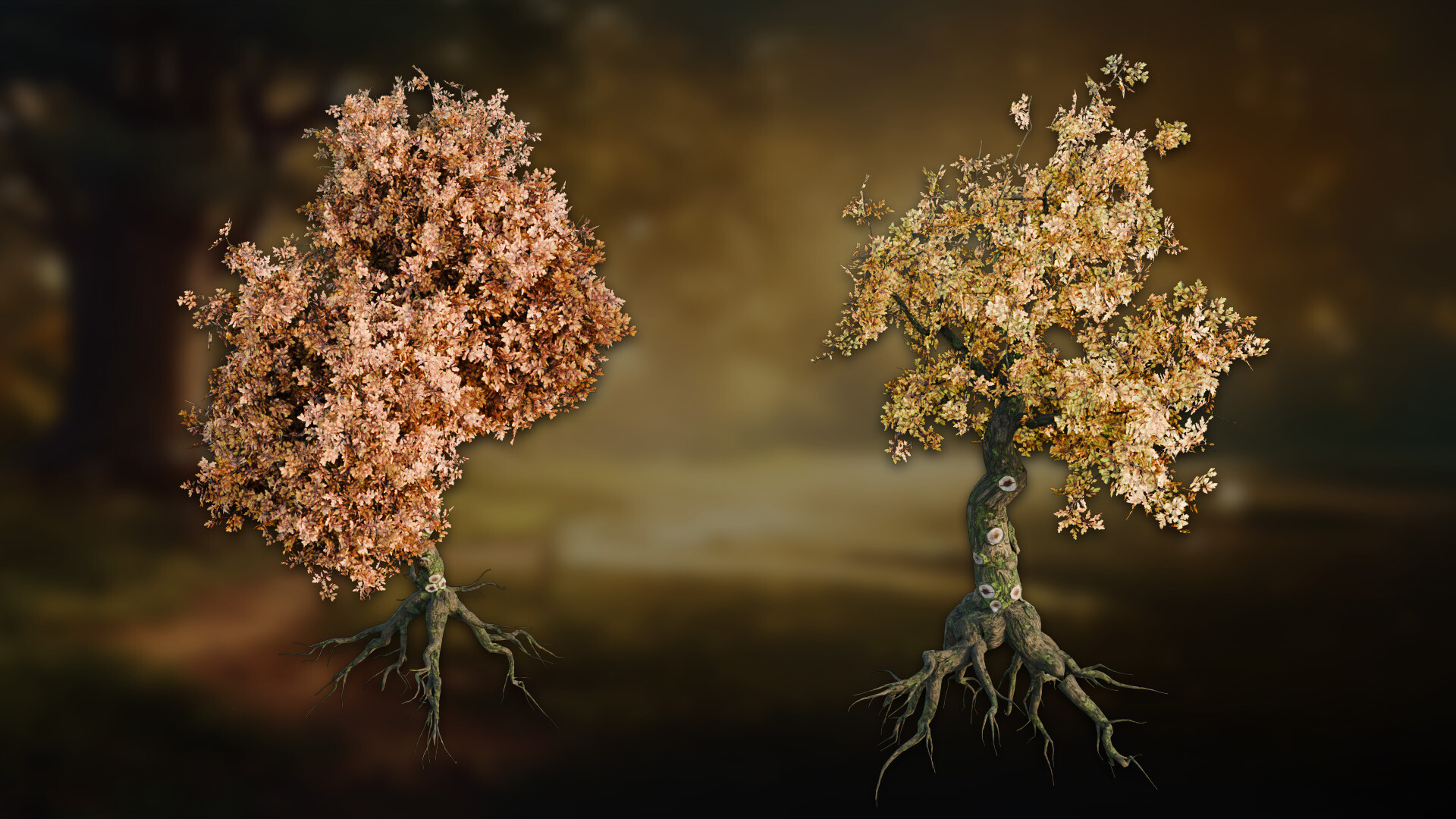
3DT Stylized Oak Geometry Node

3DT Stylized Oak Geometry Node

3DT Stylized Oak Geometry Node

3DT Stylized Oak Geometry Node

3DT Stylized Oak Geometry Node

3DT Stylized Oak Geometry Node