Blender Beginner’s Bootcamp
Online Course - https://www.artstation.com/marketplace/p/jjPzY/blender-beginners-bootcamp
Are you looking to master the art of 3D modelling with Blender?
Look no further than our ‘Blender Beginner’s Bootcamp’, where we'll take you through every step of the process of creating 20 projects spanning a wide range of topics, ensuring that you leave this course with a wealth of knowledge and the confidence to tackle the world of 3D modelling head-on.
Our approach is designed to cater to both complete beginners and those with some experience in 3D modelling, so no matter your skill level, you'll find this course challenging and rewarding.
Introduction
Whether you're looking to pursue a career in the field or simply want to create stunning 3D assets as a hobby, ‘Blender Beginner’s Bootcamp’ is the perfect starting point. Our course is perfect for beginners and intermediate 3D modellers looking to advance their skills.
Blender is a free and open-source 3D creation software that's used for everything from creating video game assets to producing films and animations. With Blender, you can create highly-detailed and realistic 3D models, including characters, environments, and products. Blender also offers an extensive range of tools and techniques, making it versatile software for 3D modelling and animation.
We provide a comprehensive download pack and Blender files, so you can dive right into the learning experience without any hassle. In this course, you'll learn a variety of techniques and tools, from basic modelling techniques to advanced array systems, modifiers, and particle systems.
You'll create stunning 3D assets, such as:
• Japanese-style roofs
• Spiral staircases
• Camper vans
• Boats
• Palm trees
• Bay windows
• Leather couches
We'll also teach you how to create realistic textures, materials, and lighting, giving your models added depth and realism.
This course will teach you everything you need to know about creating stunning projects in Blender in just over 12 hours of 3D games art and design.
Our ‘Blender Beginner’s Bootcamp’ top 8 points:
1. Dive into advanced modelling techniques to design intricate vehicles & sci-fi props
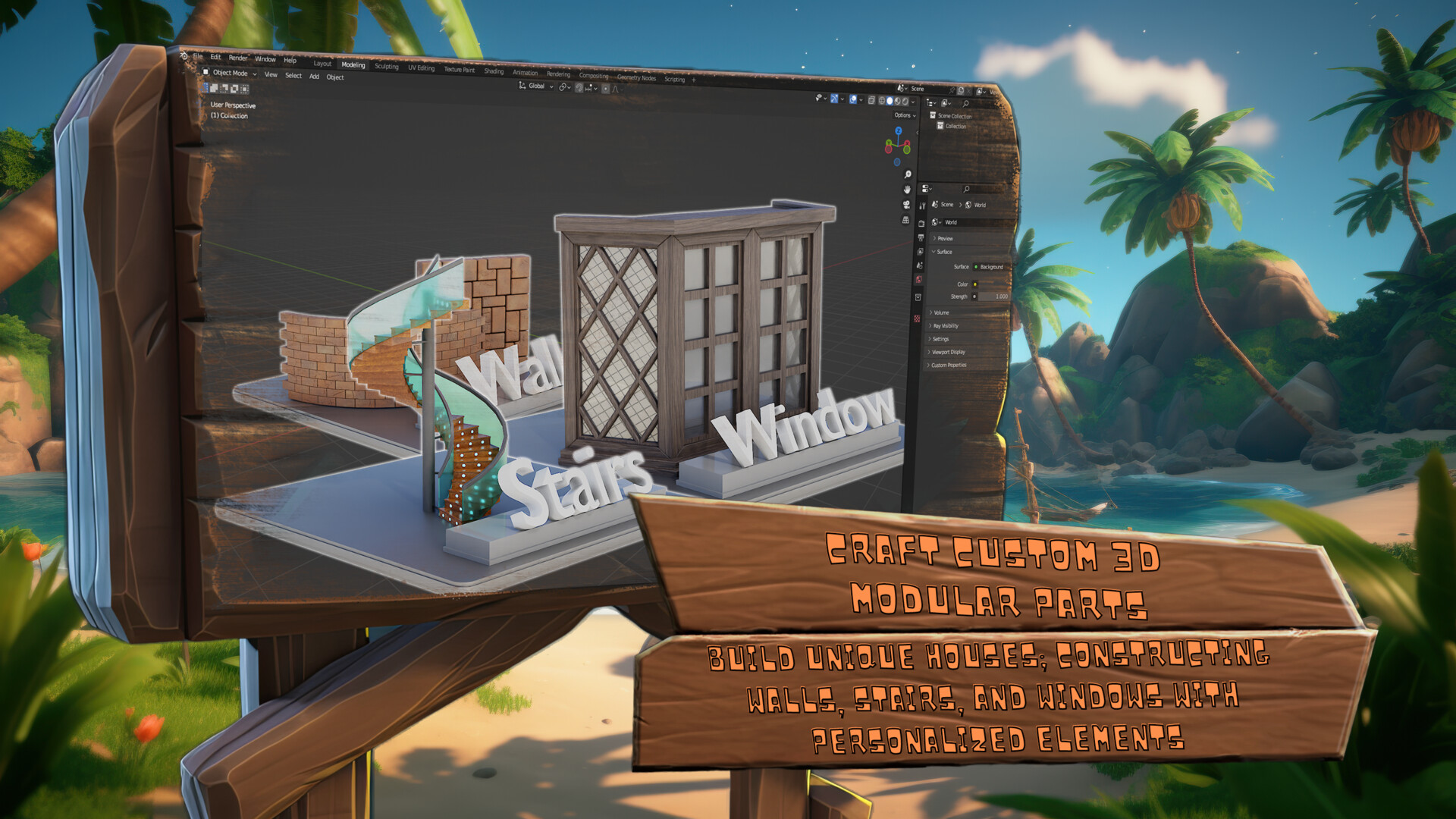
2. Build unique houses, constructing wells, stairs, and windows with personalised elements
3. Bring your imagination to life by modelling traditional parts for captivating fantasy settings
4. Enhance your environments with realistic and stylized foliage for immersive environments
5. Utilise physics simulations and generators to populate your scene with intricate and dynamic elements
6. Develop structurally sound bridges and boats to perk up your aquatic settings
7. Learn 3D modelling fundamentals, gradually advancing your skills with PBR textures using the free material pack
8. From magical brooms to fluffy plushies, transform 2D logos into 3D projects with confidence
Your project will be to experiment with the 20 different Blender bootcamp projects following our course lessons. From learning how to create roofs, a spiral staircase, palm trees, and furniture, this course comes with a project for everyone. Of course, you could set yourself a challenge and diversify aspects or details of each project such as using assets you already have from your other projects and setting up a scene for you to render. You could change the complexity of the assets we will create in ‘Blender Beginner’s Bootcamp’ to make your scenes more alive as your skills increase.
Course Overview
Are you ready to take your 3D modelling skills to the next level?
Our ‘Blender Beginner’s Bootcamp’ has been meticulously designed to cater to both complete beginners and those with some experience in 3D modelling, ensuring that you leave this course with a wealth of knowledge and the confidence to tackle the world of 3D modelling head-on.
We'll teach you the fundamentals of Blender, including how to navigate the interface, use modelling tools, and apply textures and materials. ‘Blender Beginner’s Bootcamp’ allows you the flexibility to choose specific projects or work your way through all the projects sequentially.
Blender Beginner’s Bootcamp

Blender Beginner’s Bootcamp

Blender Beginner’s Bootcamp

Blender Beginner’s Bootcamp

Blender Beginner’s Bootcamp

Blender Beginner’s Bootcamp

Blender Beginner’s Bootcamp

Blender Beginner’s Bootcamp

Blender Beginner’s Bootcamp

Blender Beginner’s Bootcamp

Blender Beginner’s Bootcamp

Blender Beginner’s Bootcamp

Blender Beginner’s Bootcamp

Blender Beginner’s Bootcamp

Blender Beginner’s Bootcamp

Blender Beginner’s Bootcamp

Blender Beginner’s Bootcamp

Blender Beginner’s Bootcamp

Blender Beginner’s Bootcamp

Blender Beginner’s Bootcamp

Blender Beginner’s Bootcamp

Blender Beginner’s Bootcamp

Blender Beginner’s Bootcamp

Blender Beginner’s Bootcamp

Blender Beginner’s Bootcamp

Blender Beginner’s Bootcamp

Blender Beginner’s Bootcamp